Dead Wood
Camera angle, shot and movements
- Point of view
- Low angle
- Establishing - Extreme close up
- Tracking in/out
- Close-up
- High angle
- Long shot
Sound
- Music calm (start)
- As he is being chased the music picks up
- Music stops as he reaches the danger
- the sound of nature to set the scene
Editing
- Slow motion
- match on action
- Linear
- Transitions
Conventions
- Secluded place (Abandoned)
- Running through forested areas
- Trips over
- They split up
- Safety is in sight
- Sense the predator but cannot see them
- Doesn't warn the other person
Mise-en-scene
- Blood
- Cuts/injuries visible
- Tent
Dead Mary
Camera angle, shot and movements
- Extreme close up
- Close-up
- Panning
- Longshot
- Crabbing
Sound
- Objects moving
- Metallic sond
- Music picks up when predator is sensed
- Radio breaks up
- Phone no signal
Editing
- Match on action
- Linear
- Titled
Conventions
- Abandoned scene
- On their own
- Separated
- No Phone and Radio Signal or battery
- Sense the predator but cannot see it
Mise-en-scene
- Car
- Phone
- Revealing clothes
- Petrol tanks
- Sign (portrays that they are far from help)
Wrong Turn
Camera angle, shot and movements
- Establishing shot
- Panning
- Longshot
- Mid-shot
- Low angle
- High angle
- Crane shot
- Two shot
- Crabbing
- Point of view (POV)
Sound
- Tention building music
- Music drops when he reaches the top of the cliff
- Girl screams
- Hear his body drop to the ground as he is attacked
Editing
- Titles
- Match on action
- linear
Conventions
- Abandoned forest area
- Dangerous area
- Calling for help but no response
- Trips over and takes a long period to get back up
- Separated from each other
- Safety is in sight
Mise-en-scene
- Hiking/climbing equipment
- Blood
- Van
- Razor/trip wire
Friday, 30 October 2015

Thursday, 15 October 2015


Wednesday, 14 October 2015
Wednesday, 7 October 2015
Preliminary Task Evaluation

We were asked to create a short clip of two people greeting each other and showing two lines of dialogue between two characters, we set our scene in a class room in the sixth form block, this created the correct set we needed to create our short clip. We decided to have two characters discussing their time in sixth form, we have various camera shots and movements included in the short clip to make sure the clip have continuity and match on action.

We created various different plans to make sure that we had included all of the right camera movements and shots to create match on action. These included scene plans and overall plans of the short clip. This helped us prepare for the film production as we knew what shots to take and when we would take them. It also helped us organise our editing process so that there was continuity throughout the film. We also did Mes-En Scene location planning to identify which places would be best to shoot our scenes, this also helped us when filming as we knew where to film each scene.

We filmed each scene from various different shots so the dialogue worked, we filmed each scene twice to make the editing process easier. Filming the scene from many different angles made it easier for us to edit to make sure the conversation was continuous. This went well due to the scenes fitting well together during the production of the short clip, this way of filming made us more organised when coming to edit it! We used the 180 degree shot when the dialogue was being portrayed, we also used shot reverse shot throughout the short clip to make sure that each character was shown equally and to make sure the clip flowed continuously.

I have used Adobe Premier Pro to edit my short clip, I have learnt various skills by using this software to edit my short clip, I have learn how to create match on action by cutting the scenes and editing them together. I applied all of the clips we had filmed for each scene into Premier Pro and deleted the ones that were not suitable. I started to edit the clips together, cutting and and when I was happy, I added a song for extra effect. Lastly I rendered it all together to make sure I could export it onto Youtube successfully.

Overall, our short clip meets all of the set brief, it shows various different skills including match on action, shot reverse shot and many camera shots, movements and angles. Some of the things stated on the plan changed to make the film more continuous, this made the clip easier to edit and created a more realistic overall clip. I believe a strong point in the clip is the match on action when the character is walking towards the door and the camera shot changes into a close up shot of the door handle, the continuity is quite strong as it shows a vast amount of match on action. A weakness is the camera movements not being as accurate as they could be, however this couldn't be helped due to the camera equipment we were required to use to film the clip. We could develop the location of the clip to make the film more interesting, this would also keep the audience watching more entertained. We could also develop the filming quality to make sure our main task is more successful!

We filmed each scene from various different shots so the dialogue worked, we filmed each scene twice to make the editing process easier. Filming the scene from many different angles made it easier for us to edit to make sure the conversation was continuous. This went well due to the scenes fitting well together during the production of the short clip, this way of filming made us more organised when coming to edit it! We used the 180 degree shot when the dialogue was being portrayed, we also used shot reverse shot throughout the short clip to make sure that each character was shown equally and to make sure the clip flowed continuously.

I have used Adobe Premier Pro to edit my short clip, I have learnt various skills by using this software to edit my short clip, I have learn how to create match on action by cutting the scenes and editing them together. I applied all of the clips we had filmed for each scene into Premier Pro and deleted the ones that were not suitable. I started to edit the clips together, cutting and and when I was happy, I added a song for extra effect. Lastly I rendered it all together to make sure I could export it onto Youtube successfully.

Overall, our short clip meets all of the set brief, it shows various different skills including match on action, shot reverse shot and many camera shots, movements and angles. Some of the things stated on the plan changed to make the film more continuous, this made the clip easier to edit and created a more realistic overall clip. I believe a strong point in the clip is the match on action when the character is walking towards the door and the camera shot changes into a close up shot of the door handle, the continuity is quite strong as it shows a vast amount of match on action. A weakness is the camera movements not being as accurate as they could be, however this couldn't be helped due to the camera equipment we were required to use to film the clip. We could develop the location of the clip to make the film more interesting, this would also keep the audience watching more entertained. We could also develop the filming quality to make sure our main task is more successful!
Tuesday, 6 October 2015
Learning To Edit With Adobe Premier Pro
I have learned how to create a new project on Premier Pro.
I have learned how to import clips and audio into Premier Pro.
I have learned how to navigate through video by using the left and right keypad and by scrubbing.
I have learned how to move a clip onto my timeline, with or without it's audio.
I have learned how to trim with the razor tool for precise cuts between shots.
I have learned how to play the video on a full screen to see any errors that may occur within the clip.
I have learned how to add video transitions and effects to my project.
I have learned how to decrease the volume (decibels) on a video.
I have learned how render a video so it is ready for exporting.
I have learned how to export my project to my desktop and upload to my blog.
Thursday, 1 October 2015
Planning: Mise-En Scene: Location Planning

Shot one is an establishing shot showing the exterior entrance of our school building.
When looking for locations we decided that the outside of our school would be suitable for the establishing shot.
The location is easily accessible and will quite clearly establish the context of the scene to all of the viewers.

Shot two is a longshot showcasing a flight of stairs in ours school building that will most likely be travelled up by one of the characters.
when looking for locations we decided that these stairs would be perfect as they lie right next to the sixth form block and would be suitable for a long shot.
This location is clearly accessible for all of the group.

Shot three is a longshot of the entrance to the sixth form block in our school building which one of the characters will travel up in the filming.
when looking for locations we agreed that this one was suitable as it clearly shows the block in which the characters are meeting in.
this location is very easily accessed for all the group and shows the main location for the meeting.

Shot 4 is a mid shot of the entrance to a sixth form room that the meeting will be held in.
when looking for suitable meeting locations we believed that this one would be suitable as it has the objects that we need in order to film our piece.
this location is easily accessed but may be difficult to have empty for the time we need it.

Tuesday, 29 September 2015
Planning Mes-En Scene: Casting

Ian Nix is a 17 year old sixth form student at Kba. He enjoys spending his time socialising with mates and playing computer games.
This part will be played by the actor Elliot Ward, he is the right actor for the job due to his confidence in front of a camera and his ability to perform perfectly.


David Ward is a 16 year olds student that is looking to seek advice about life at sixth form and the commitment involved. he spends his time with mates and socialising.
The part will be played by Samuel Nix, he is the right actor for the job as he is ok in front of the camera and can be confident in performing.
Monday, 28 September 2015

Thursday, 24 September 2015
Preliminary Task: Creating A Storyboard From Initial Ideas
We all decided as a group to base our task on a sixth form student, this lead to the opening shot being an establishing shot to show the viewers where the scene is set. We were given a task to complete the two minute clip using only 12 shots, we managed to do this in 11 shots using a range of different camera shots, movements and angles. We used the 12 shot challenge top make sure our clip was the correct length.
I have learnt how to complete a story board using the 12 shot challenge to plan a short clip effectively, I have also leant what looking space is which is a camera angle! I have learnt how to use a range of different camera shots, angles and movements to make the clip seem realistic and consistent.
I have learnt how to complete a story board using the 12 shot challenge to plan a short clip effectively, I have also leant what looking space is which is a camera angle! I have learnt how to use a range of different camera shots, angles and movements to make the clip seem realistic and consistent.
Tuesday, 22 September 2015
Preliminary Task: First Idea
Our preliminary task will be set in a school class room at about mid-day and will feature two characters. These characters are Ian Nix (17) and David Ward(16) and will be played by Sam and Elliott. Ian is the head boy of the sixth form at the school and David is a new student who has recently joined sixth form. David has come to Ian to ask about life at sixth form. Ian will already be sat down at his desk and David will walk through the door towards him and take a seat in-front of him. The pair will then deliver a couple of lines of dialogue to each other.
Saturday, 19 September 2015
Understanding and Applying Basic Terminology
This is a close up shot.


This is a establishing shot.
t.

This is an extreme close up.
e.

This is a high angle.

This is a long shot.

This is a low angle shot.
t.

This is a mid-shot.

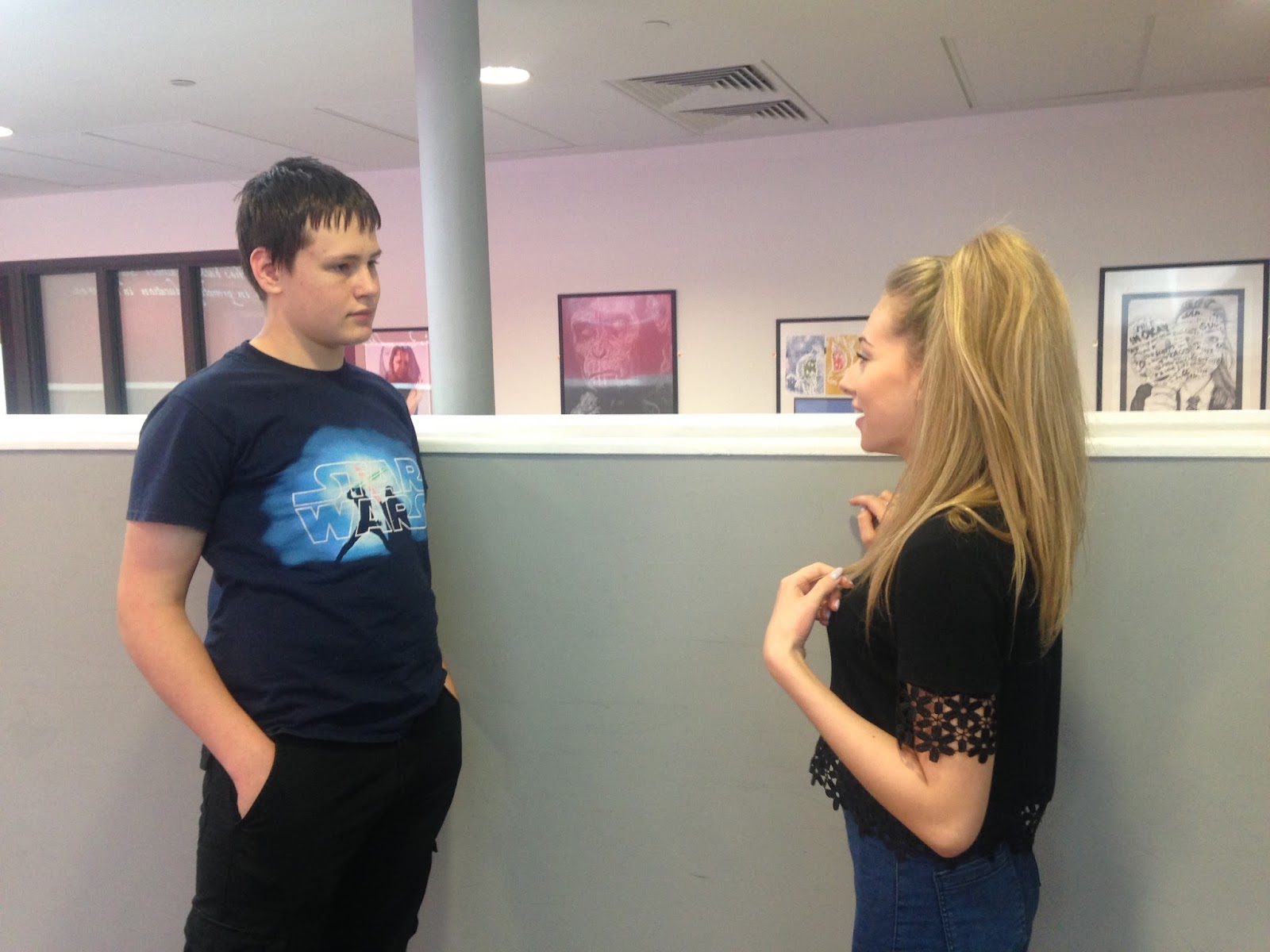
This is an over the shoulder shot.
.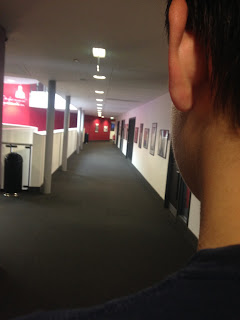

This is a point of view shot.

This is a two shot.
Foundation Portfolio: What is it?
50% of your grade will be earned through your Foundation Portfolio. This consists of a preliminary task and a main task, the details of which can be found below.
The Preliminary Task is designed to illustrate the processes of pre-production, production and post-production that will be required, albeit in more detail, when you come to undertake the Main Task. The Preliminary Task is not marked but MUST be completed and submitted alongside the Main Task to the examiner. If it is not completed, marks are deducted from your Main Task.
The Main Task is marked out of 100. These marks are broken down as follows:
20 marks - Research into similar media products and planning of your own media product.
60 marks - Construction of your own media product including filiming and editing.
20 marks - Evaluation of your own media product.
All of your work must be posted to your blog as this will be accessed by the examiner in May of 2016.
For each of the criteria above, marks are available in 4 levels with level 4 being the highest.
The progress thermometer below shows the key words for each level of the mark scheme.

This is what you have to do:
Preliminary Exercise
The Preliminary Task is designed to illustrate the processes of pre-production, production and post-production that will be required, albeit in more detail, when you come to undertake the Main Task. The Preliminary Task is not marked but MUST be completed and submitted alongside the Main Task to the examiner. If it is not completed, marks are deducted from your Main Task.
The Main Task is marked out of 100. These marks are broken down as follows:
20 marks - Research into similar media products and planning of your own media product.
60 marks - Construction of your own media product including filiming and editing.
20 marks - Evaluation of your own media product.
All of your work must be posted to your blog as this will be accessed by the examiner in May of 2016.
For each of the criteria above, marks are available in 4 levels with level 4 being the highest.
The progress thermometer below shows the key words for each level of the mark scheme.

This is what you have to do:
Preliminary Exercise
Continuity task involving filming and editing a character opening a door, crossing a room and sitting down in a chair opposite another character, with whom she/he then exchanges a couple of lines of dialogue. This task should demonstrate match on action, shot/reverse shot and the 180-degree rule.
Main Task
The titles and opening of a new teen horror film, to last a maximum of two minutes.
All video and audio material must be original, produced by the candidate(s), with the exception of music or audio effects from a copyright-free source. Both preliminary and main tasks must be completed as a group. Maximum four members to a group.
Friday, 11 September 2015
Me As A Consumer Of The Media
The Internet:
The internet is a global computer network which offers a variety of websites that contain social media sites, information and resources. You can connect with people around the world using lots of different social media sites. The internet can be accessed in many different ways, these include a mobile phone, a smart television, a tablet or a laptop and many other ways! You can access the internet almost anywhere in the world. The internet holds millions of different types of informations ready to be discovered.

The internet is a global computer network which offers a variety of websites that contain social media sites, information and resources. You can connect with people around the world using lots of different social media sites. The internet can be accessed in many different ways, these include a mobile phone, a smart television, a tablet or a laptop and many other ways! You can access the internet almost anywhere in the world. The internet holds millions of different types of informations ready to be discovered.

Subscribe to:
Posts (Atom)